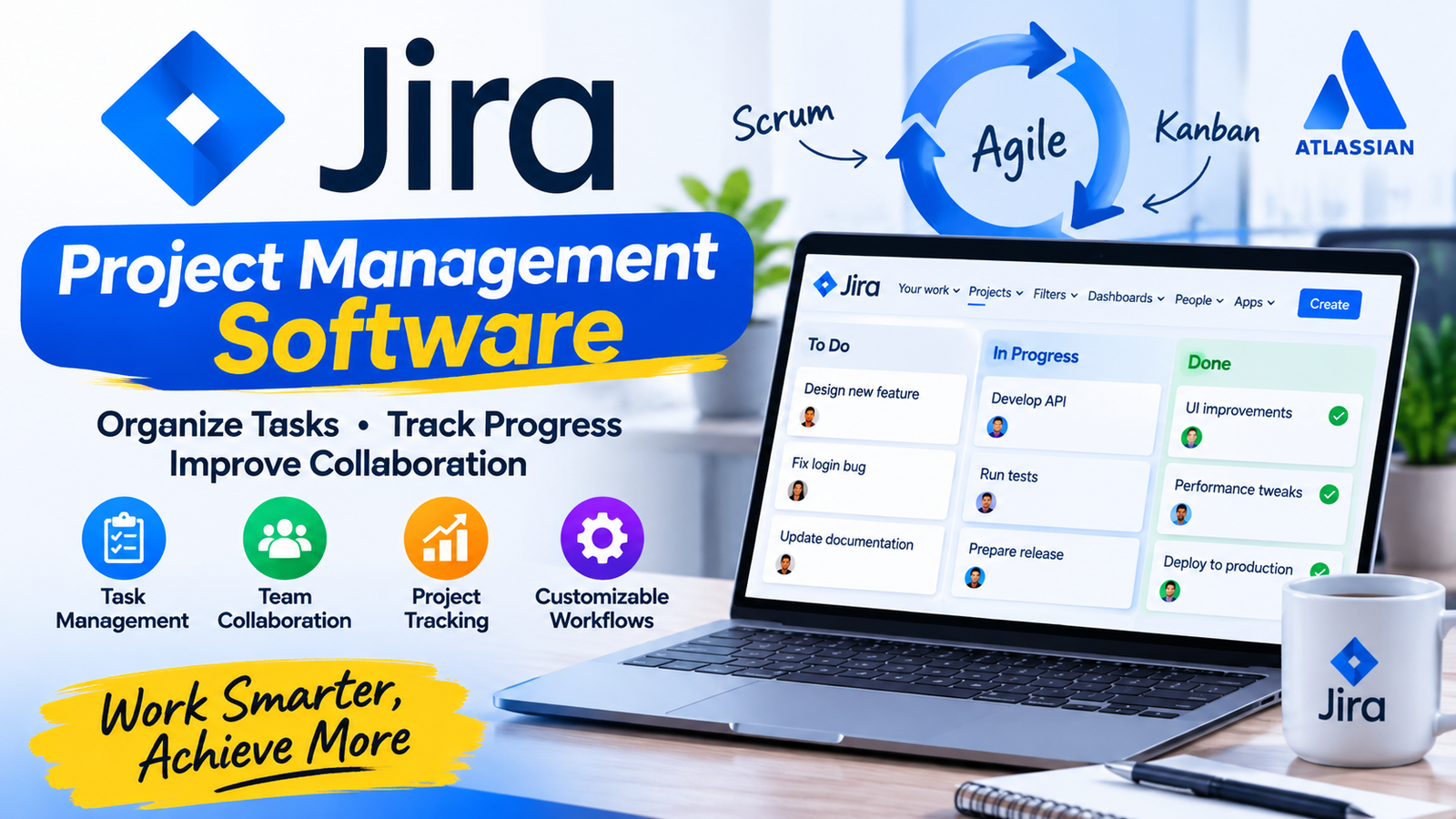
Jira project management software helps businesses organize tasks, track project progress, and improve team collaboration. Companies use it to manage daily activities, coordinate team members, and complete projects within planned timelines. It provides a central workspace where teams can create tasks, assign responsibilities, monitor deadlines, and communicate about project updates.
Businesses across different industries use Jira because it supports flexible workflows and offers tools for both simple task management and complex projects. Software developers, marketing teams, IT departments, and business managers can use its features to organize their work and maintain visibility throughout the project lifecycle.
What Is Jira Project Management?
Jira project management helps businesses plan, organize and track project activities. Developed by Atlassian, Jira allows teams to create tasks, assign responsibilities, monitor progress and manage workflows. It supports Agile, Scrum and Kanban methods to help teams work efficiently.
Is Jira a Project Management Tool?
Yes, Jira is a project management tool. It allows teams to plan projects, manage tasks, track deadlines, and monitor progress from one platform.
Although many people associate Jira with software development, its capabilities extend beyond programming teams. Marketing departments can use it to manage campaigns, HR teams can organize recruitment activities, and operations teams can track internal requests.
Jira provides features such as task boards, issue tracking, reporting, automation, and customizable workflows. These features help businesses manage responsibilities and keep project information organized.
Why Use Jira for Project Management?
Businesses choose Jira because it gives teams better control over project activities. Instead of managing work through scattered spreadsheets, emails, and messages, employees can use one organized platform.
Here are some important reasons businesses use Jira:
1. Better Task Organization
Jira allows teams to create tasks and divide projects into manageable activities. Managers can assign each task to a team member, add descriptions, set priorities, and establish due dates.
This structure helps employees understand their responsibilities. It also reduces confusion because team members can check task details and progress whenever they need them.
2. Improved Team Collaboration
Jira gives team members a shared space to discuss tasks, add comments, upload relevant information, and communicate updates. Employees can follow project activities without depending entirely on separate communication channels.
Teams can also mention colleagues in task discussions to request feedback or share important information. This process keeps project conversations connected to the work itself.
3. Real-Time Project Tracking
Project managers need accurate information to make decisions. Jira dashboards and reports help them monitor task status, identify delays, and understand overall project progress.
Team members can update their tasks as they complete different activities. Managers can then review the latest information and adjust plans when necessary.
4. Flexible Workflows
Every business follows different processes. Jira allows administrators to customize workflows according to project requirements.
For example, a team might use these task stages:
- To Do
- In Progress
- Under Review
- Completed
Key Points to Know:A business can add, remove or rename stages to match its internal processes. This flexibility makes the platform useful for different departments and industries.
How Does Jira Work for Project Management?
Jira organizes project work through projects, issues, boards, workflows, and reports. Each component serves a specific purpose.
First, a manager creates a project and selects a suitable template. The team then creates issues to represent tasks, bugs, requests, or other work items. Managers assign these issues to employees and add priorities, descriptions, and deadlines.
Team members update their issues as they complete work. Boards display these activities in a visual format, allowing everyone to see which tasks remain open and which have moved forward.
Managers can use reports and dashboards to review performance. They can identify bottlenecks, monitor workloads, and make changes when project requirements shift.
This organized process explains how Jira helps teams maintain visibility and accountability throughout a project.
Why Jira Is Popular Among Businesses
Jira has gained popularity because it combines task management, workflow customization, reporting, and collaboration features. Its support for Agile practices also makes it valuable for software development teams.
Another important reason involves its integration options. Businesses can connect Jira with other Atlassian products and various third-party applications. These integrations help teams connect project information with their existing work tools.
Jira also supports different team sizes. Small teams can manage basic tasks, while larger organizations can configure more advanced workflows and project structures.
Why Is Jira Good for Agile Project Management?
Jira supports Agile project management through Scrum and Kanban boards. These methods help teams organize work, monitor progress, and respond to changing requirements.
Scrum teams can use Jira to plan sprints, create backlogs, assign story points, and review completed work. Sprint boards help members understand their responsibilities during each development cycle.
Kanban teams can use visual boards to manage continuous workflows. They can move tasks between columns as work progresses and apply work-in-progress limits to reduce bottlenecks.
Jira also provides Agile reports, including burndown charts and velocity reports, depending on the project setup. These reports help teams review performance and improve future planning.
Key Features of Jira Project Management Software
Jira offers several features that help businesses manage projects more effectively.
Task and Issue Tracking
Teams can create issues for tasks, bugs, improvements, and service requests. Each issue can contain descriptions, comments, attachments, priorities, and assigned users.
Scrum and Kanban Boards
Boards provide a visual overview of project activities. Scrum boards support sprint-based planning, while Kanban boards help teams manage continuous work.
Customizable Workflows
Administrators can configure task stages and transitions. This feature allows businesses to create processes that match their internal requirements.
Reports and Dashboards
Jira provides reporting tools that help managers understand project progress, team performance, and potential delays.
Automation
Teams can create automation rules for repetitive activities. For example, Jira can assign issues automatically, update fields, or notify team members when specific conditions occur.
Integrations
Jira connects with various tools used for communication, development, documentation, and productivity. These integrations help businesses organize information across their work environment.
What Type of Project Management Is Jira?
Jira mainly supports Agile project management, especially Scrum and Kanban. However, businesses can also configure it for general task management, issue tracking, and other workflow-based activities.
The platform does not force every team to follow one method. Organizations can select templates and customize workflows according to their goals.
This flexibility allows technical and non-technical departments to use the same platform for different types of work.
Is Jira Software Free?
Atlassian offers a free Jira plan for eligible small teams, subject to its current user limits and feature restrictions. Paid plans provide additional capabilities, administration options, storage, and support.
Businesses should review the official pricing page before choosing a plan because prices, limits, and included features can change.
Who Provides and Manages Jira?
Atlassian provides Jira. It is a software company known for products such as Jira, Confluence, and Trello.
Within an organization, Jira administrators usually manage user permissions, project settings, workflows, and configurations. Project managers handle project planning and task coordination, while team members update and complete assigned work.
The exact responsibilities depend on the company’s structure and Jira setup.
Is Jira Suitable for Beginners?
Jira can work for beginners, but new users may need time to understand its interface, terminology, and configuration options.
Teams can start with simple templates and basic task boards. After learning the main features, they can explore advanced reports, automation, and customized workflows.
For users who need only a simple task list, another lightweight tool may feel easier. However, teams that need structured workflows and detailed tracking may benefit from learning Jira.
How to Choose the Right Project Management Software
Businesses should compare project management tools according to their team size, budget, workflow, and technical requirements.
When deciding which project management software is best, consider these factors:
- Ease of use: Can employees learn the platform quickly?
- Features: Does it support task tracking, reporting, and collaboration?
- Flexibility: Can the team customize workflows?
- Pricing: Does the subscription fit the business budget?
- Integrations: Does it connect with the tools employees already use?
- Scalability: Can it support the organization as the team grows?
Key Points to Know:Jira can be a strong choice for Agile teams and organizations that need customizable workflows. Beginners or smaller teams with basic requirements may prefer a simpler platform.
Sum up
Jira project management software helps businesses organize tasks, track progress and improve team collaboration. Its Agile boards, customizable workflows and reporting tools make project management easier and more efficient.
Frequently Asked Questions
- Can Jira Be Used for Project Management?
Yes. Jira supports project planning, task assignment, workflow management, progress tracking, and team collaboration. Businesses can use it for software development and non-technical projects. - Where Is Jira Workflow?
You can find and manage workflow settings through the Jira project or administration settings. The exact location depends on your Jira version, project type and user permissions. - Where Is the Jira Project Key?
The project key usually appears in the project settings and forms part of each issue key. For example in MARK-25, MARK represents the project key and 25 represents the issue number. - When Did Jira Start?
Atlassian first released Jira in 2002. The company initially designed it as an issue and bug-tracking tool before expanding its capabilities. - What Is Jira Project Management Software Pricing?
Jira offers different pricing plans, including a free option and paid subscriptions. The final cost depends on the selected plan, number of users, and billing arrangement. Check Atlassian’s official pricing page for current details. - Is Jira Project Management Software Available for Download?
Yes. Users can access Jira through its cloud platform or explore Atlassian’s available self-managed options, depending on the product and deployment requirements. Check the official Atlassian website for current availability. - Why Is Project Management Software Important?
Project management software helps businesses organize tasks, assign responsibilities, monitor deadlines and improve communication. It also gives managers better visibility into project progress and helps teams identify problems before they become serious delays.
About the Author