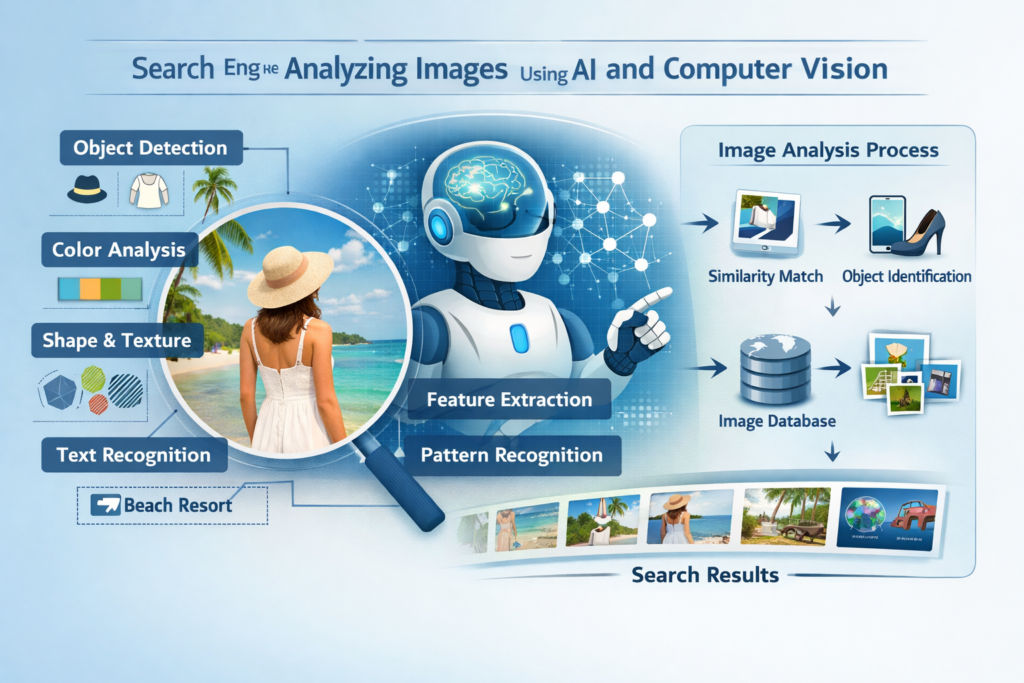
Finding the right image is no longer as simple as typing a few words into a search engine. Today, professionals, students, designers, marketers and content creators need accurate, high-quality and legally usable images for different purposes. Modern image search techniques help users locate relevant visuals quickly while saving time and improving search accuracy.
Whether you want to verify an image source, identify an object, find copyright-free photos or optimize images for websites using the right search method makes a significant difference. Different techniques are designed for different goals and understanding them helps users get better search results.
What Are Image Search Techniques?
Image search techniques are different methods used to locate images based on keywords, visual content, filters or uploaded pictures. Search engines and AI-powered platforms analyze image information to provide the most relevant results.
These techniques are useful for identifying unknown objects, checking image originality, finding high-resolution photos, verifying online content and improving digital marketing strategies. Choosing the correct search method depends on what you want to achieve.
Reverse Image Search
Reverse image search allows users to upload an existing image instead of typing text. The search engine compares the uploaded image with billions of indexed images across the internet to find matching or similar results.
This method is especially helpful for verifying image authenticity, identifying the original source, detecting copied content and locating higher-quality versions of an image.
Businesses often use this technique to monitor brand images online while photographers use it to identify unauthorized use of their work. Journalists also rely on reverse image searches to verify whether an image has been edited or shared with false information.
Keyword-Based Image Search
Using the right keywords remains one of the most effective ways to find relevant images. Keyword-based image search helps users locate photos, illustrations, icons and graphics related to specific topics.
The quality of search results depends largely on the words you choose. Instead of searching with broad terms using descriptive phrases usually provides more accurate results.
For example, searching for “modern office workspace with laptop” produces better results than simply searching for “office.”
Adding location names, colors, industries or object descriptions can further improve search accuracy. This technique is widely used by bloggers, students, researchers and digital marketers who need topic-specific visuals.
Image Search by Filters (Size, Color, Type)
Search filters make it easier to narrow thousands of results into a smaller collection of relevant images. Image search by filters (size, color, type) allows users to customize search results based on their exact requirements.
Size filters help locate high-resolution images suitable for printing or website banners. Color filters are useful when matching images with brand themes or presentation designs. Type filters allow users to search specifically for photographs, illustrations, icons, GIFs or transparent PNG files.
Using filters saves time because users no longer need to browse through hundreds of unrelated images before finding the right one.
Visual Search Using AI
Artificial intelligence has transformed how image searches work. Visual search using AI enables search engines to recognize shapes, objects, landmarks, products, animals and even text inside images.
Instead of relying only on keywords AI analyzes visual elements and compares them with millions of stored images. This technology produces highly accurate search results even when users do not know the correct name of an object.
Online retailers use AI-powered visual search to help customers find similar products. Educational platforms use it for identifying plants, animals, historical monuments and artworks. As AI continues to improve, visual search is becoming faster and more accurate.
Search by Image Upload
Sometimes users already have an image but need more information about it. Search by image upload allows users to submit an existing image directly into a search engine for analysis.
The system compares the uploaded image with similar visuals available online and returns matching pages, websites or related images.
This method is useful for:
- Finding the original creator
- Checking image authenticity
- Locating higher-quality versions
- Identifying products
- Finding similar designs
- Detecting duplicate content
Key Points to Know:Businesses also use uploaded image searches to monitor how their product images are being used across different websites.
Finding Copyright-Free Images
Using images without permission can create legal problems and affect the credibility of a website or business. Finding copyright-free images is important for bloggers, businesses, students and digital marketers who publish content online.
Many websites provide images that can be used under public domain or Creative Commons licenses. Some platforms also allow commercial use without requiring attribution while others ask users to give proper credit to the creator.
Before downloading any image always check the licensing terms. Reading the usage policy helps avoid copyright violations and protects your content from legal issues.
Using high-quality copyright-free images also improves website appearance and creates a more professional experience for visitors.
Optimizing Images for Search Engines
Adding images to a website is not enough. Optimizing images for search engines helps improve website speed, accessibility and search engine rankings.
Several simple practices can make images more SEO-friendly:
- Use descriptive file names.
- Add relevant alt text.
- Compress large image files.
- Choose the correct file format.
- Use responsive images for mobile devices.
- Include images that match the page content.
Important Things to Know:Well-optimized images load faster, improve user experience and increase the chances of appearing in image search results. They also help search engines understand what the image represents making it easier to index correctly.
Mistakes That Affect Image Search Results
Many users do not get accurate search results because they make simple mistakes during image searches.
Some common mistakes include:
- Using very broad search terms
- Ignoring search filters
- Downloading copyrighted images without checking licenses
- Uploading poor-quality images for analysis
- Skipping image optimization before publishing
- Using unrelated images in website content
Must-Know Facts:Avoiding these mistakes helps users find more accurate results while maintaining professional and legal standards.
Best Practices For Better Image Searches
Using effective search methods improves both speed and accuracy.
Follow these best practices:
- Use specific keywords instead of general words.
- Apply filters to narrow your search.
- Compare results from multiple search engines.
- Verify image sources before using them.
- Check image licenses carefully.
- Upload clear images for better matching results.
- Keep image files properly organized.
Things You Need to Know:These simple habits help users locate the right images quickly while reducing unnecessary effort.
Why Image Search Skills Are Important
Image searching has become an essential digital skill. Businesses use it to improve marketing campaigns. Designers rely on it to find creative inspiration. Journalists verify online images before publishing stories. Researchers identify objects, locations, and historical references through visual searches.
As artificial intelligence continues to improve, image searching will become even more accurate and efficient. Learning different search methods today prepares users for future digital technologies.
In Closing
Modern image search techniques help users find accurate, high-quality visuals for personal, educational and professional use. From Reverse image search and Keyword-based image search to Visual search using AI every method serves a different purpose. Using search filters, uploading images for analysis, choosing copyright-free resources and optimizing images for search engines all contribute to better search results and improved online content. By applying these techniques correctly, users can save time, avoid copyright issues and make better use of digital images.
Frequently Asked Questions
- What is reverse image search used for?
It helps identify an image’s original source, locate similar images, verify authenticity and detect copied content online.
- Why is keyword-based image search important?
It allows users to find relevant images quickly by using descriptive search terms related to a specific topic.
- Can AI improve image search results?
Yes. AI analyzes visual elements instead of relying only on keywords making image searches faster and more accurate.
- Why should I use copyright-free images?
Copyright-free images help you avoid legal issues and allow you to publish content safely while respecting creators’ rights.
- How can I optimize images for search engines?
Use descriptive file names, write accurate alt text, compress images, choose suitable formats and ensure images match your page content.
About the Author







I hit a nice jackpot here last week! The slot games are fair and the excitement is real. You should join hulk123slot right away.
The app is very stable and the graphics are amazing. I spend a lot of my free time here because it is just so addictive. Get the phbingoplusapp now
[448]mostbet লগইন ও অ্যাপ ডাউনলোড | বিকাশ দিয়ে ক্যাসিনো ডিপোজিট,mostbet লগইন করে অনলাইন স্লট গেম খেলার নিয়ম জানুন এবং লাইভ ক্যাসিনো বোনাস অফার লুফে নিন। এখনই app download apk করে খেলা শুরু করুন। visit: mostbet
Downloading the app was the best decision. It is much faster than the browser version and the lag is gone. Get the 389winappapk
The slots here have some of the best hit rates I have seen in a while. I really enjoy the bonus rounds and the overall vibe of the site. idbundaslot is simply awesome.
This site is pure luck and fun! I love the competitive feel and the way the rewards are structured. It keeps me coming back every single day. 888win888win9