
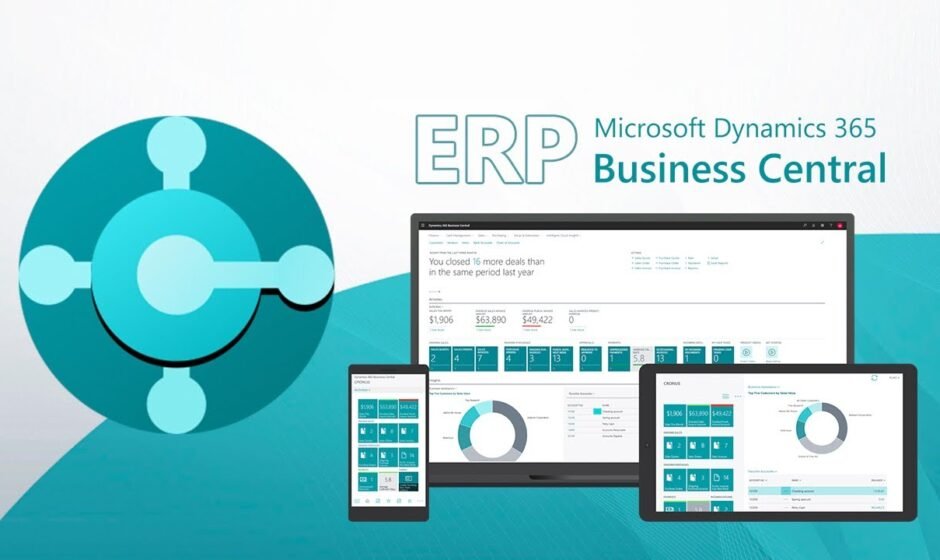

Businesses use ERP software to manage finance, inventory, sales, purchasing and daily operations from one platform. Microsoft Navision and Microsoft Dynamics 365 Business Central are two popular ERP solutions. While many businesses still rely on it, others have upgraded to Business Central for its modern cloud features. This guide compares both solutions to help you choose the right one for your business.
Understanding Microsoft Navision
Microsoft Navision is an ERP solution that helps businesses manage finance, inventory, sales, purchasing and other daily operations from one platform. It was later renamed Microsoft Dynamics NAV and eventually evolved into Microsoft Dynamics 365 Business Central. Many businesses have used it for years because it simplifies business management and improves operational efficiency.
Some of its major functions include:
- Financial management
- Inventory control
- Sales management
- Purchase management
- Warehouse management
- Customer relationship management
- Reporting and business insights
Everything You Need to Know:The software became popular because it reduced manual work and improved business efficiency.
Microsoft Dynamics 365 Business Central
Microsoft Dynamics 365 Business Central is Microsoft’s modern cloud-based ERP solution. It is the latest version of Dynamics NAV and offers better performance, stronger security, and seamless integration with Microsoft applications. Businesses can access data securely from anywhere making it ideal for remote and growing teams.
Business Central supports:
- Financial management
- Supply chain management
- Project management
- Inventory management
- Sales and customer service
- Manufacturing
- Business reporting
- Cloud access
Key point to know:It also integrates smoothly with Microsoft 365, Power BI, Power Automate and Microsoft Teams creating a complete business ecosystem.
Key Differences Between Microsoft Navision and Business Central
Although both systems belong to the Microsoft ERP family they differ in several important areas.
| Feature | Microsoft Navision | Business Central |
| Deployment | Mostly On-Premises | Cloud-Based |
| Updates | Manual | Automatic |
| Accessibility | Office Network | Anywhere with Internet |
| Security | Traditional Security | Advanced Microsoft Cloud Security |
| Integration | Limited | Excellent Microsoft Integration |
| Scalability | Moderate | Highly Scalable |
| AI Features | Not Available | Built-in AI Capabilities |
| Maintenance | Higher | Lower |
Important Things to Know:Business Central offers significant improvements because it builds on the strengths of it while adding modern cloud technology.
User Experience
Business software should be simple enough for employees to learn quickly.It has a traditional interface that many long-time users already understand. However new employees may find it less intuitive compared to modern software.
Business Central introduces a cleaner interface with easier navigation. Users can personalize dashboards, access information faster and complete tasks with fewer steps.The improved experience increases employee productivity and reduces training time.
Advantages of Cloud ERP
Cloud computing has changed how businesses operate.it usually requires physical servers, hardware maintenance software installation and IT support. These requirements increase operational costs over time.Business Central removes much of this complexity because Microsoft manages the cloud infrastructure.
Benefits of cloud technology include:
- Automatic backups
- Regular updates
- Remote access
- Lower maintenance
- Improved disaster recovery
- Better business continuity
These advantages allow businesses to focus more on growth instead of IT maintenance.
Using Microsoft Apps Together
Modern businesses use multiple software applications every day.
Business Central integrates directly with:
- Microsoft Excel
- Microsoft Outlook
- Microsoft Teams
- Power BI
- Power Automate
Key point to know:Employees can share information, create reports, communicate with colleagues and automate repetitive tasks without switching between multiple systems.it offers integration options but they are more limited and often require additional customization.
Security and Compliance
Protecting business information is a top priority.it provides reliable security for on-premises environments. However businesses remain responsible for managing servers, updates and security patches.Business Central benefits from Microsoft’s global cloud infrastructure which includes:
- Advanced encryption
- Automatic security updates
- Identity protection
- Access control
- Continuous monitoring
- Compliance with international standards
These features reduce cybersecurity risks and improve data protection.
Supporting Business Growth
As businesses grow their software should grow with them.it works well for many organizations but expanding often requires additional hardware and system upgrades.Business Central makes expansion much easier.
Companies can:
- Add new users quickly.
- Open new locations.
- Expand internationally.
- Support remote employees.
- Increase storage as needed.
The cloud environment provides greater flexibility for future business growth.
Cost and Value
Cost is an important factor when choosing an ERP system.
it often involves:
- Server costs
- Hardware purchases
- IT maintenance
- Manual upgrades
- Software installation
Business Central typically uses a subscription model reducing upfront infrastructure expenses. Businesses also save money on maintenance because Microsoft manages updates and cloud services.
Key point to know:Although subscription fees continue over time many companies find the lower maintenance costs worthwhile.
Which Solution Is Better?
For most modern businesses Business Central is the better choice.
It provides:
- Cloud accessibility
- Automatic updates
- Better security
- AI-powered features
- Modern interface
- Easy Microsoft integration
- Improved scalability
- Lower maintenance
However it remains suitable for organizations that already use it successfully and have customized business processes. Some companies continue using it because replacing an existing ERP system requires planning, investment and employee training.
Everything You Need to Know:Businesses looking for long-term digital transformation should strongly consider migrating to Business Central.
When Should You Upgrade?
An upgrade makes sense if your business needs:
- Better cloud access
- Remote work capabilities
- Improved reporting
- Easier software maintenance
- Stronger cybersecurity
- Modern business automation
- Integration with Microsoft 365
Key point to know:Companies planning future growth often benefit from moving to Business Central before their existing system becomes outdated.
Overall Comparison
Both Microsoft Navision and Microsoft Dynamics 365 Business Central are reliable ERP solutions for managing finance, inventory, sales and business operations. While it remains a dependable option for existing users, Business Central offers cloud technology, stronger security, automatic updates and better scalability. For most growing businesses, Business Central is the better long-term choice.
Frequently Asked Questions
1. What is it used for?
It is an ERP system used to manage accounting, finance, inventory, sales, purchasing warehouse operations and customer information.
2. Is it still supported?
Many businesses still use it but Microsoft encourages organizations to move to Dynamics 365 Business Central to benefit from the latest features and cloud technology.
3. What is the biggest advantage of Business Central?
The biggest advantage is its cloud-based platform which provides remote access, automatic updates, advanced security and seamless integration with Microsoft applications.
4. Can businesses migrate from it to Business Central?
Yes. Businesses can migrate from it to Business Central with proper planning, data migration, testing and user training.
5. Which ERP solution is better for small and medium-sized businesses?
For most small and medium-sized businesses, Business Central is the better choice because it offers better scalability, lower maintenance, stronger security and modern cloud capabilities.


유흥알바구인구직 25 Sep 2026
Well I really enjoyed reading it. This tip provided by you is very useful for correct planning.
pestoto 27 Sep 2026
Sweet blog! I found it while browsing on Yahoo News. Do you have any tips on how to get listed in Yahoo News? I’ve been trying for a while but I never seem to get there! Cheers
automotive college malaysia 28 Sep 2026
You made some good points there. I looked on the internet for the subject and found most individuals will approve with your blog.
dewi11 28 Sep 2026
Great article and straight to the point. I don’t know if this is actually the best place to ask but do you people have any ideea where to employ some professional writers? Thanks 🙂
HD 28 Sep 2026
Keep working ,impressive job!
recuperar conta gmail 28 Sep 2026
I think you have mentioned some very interesting points, thankyou for the post.
sell gold near me 28 Sep 2026
Hi, Neat post. There is an issue together with your site in internet explorer, may test this… IE nonetheless is the market leader and a good component of folks will pass over your excellent writing due to this problem.
IPTV travando na TV Box 28 Sep 2026
Keep up the great piece of work, I read few content on this internet site and I conceive that your website is very interesting and has lots of wonderful information.
como assistir IPTV no iPhone 29 Sep 2026
Nice post. I learn something more challenging on different blogs everyday. It will always be stimulating to read content from other writers and practice a little something from their store. I’d prefer to use some with the content on my blog whether you don’t mind. Natually I’ll give you a link on your web blog. Thanks for sharing.
Paseo Por Etiquetas 29 Sep 2026
I went over this site and I conceive you have a lot of good information, saved to fav (:.
cabin crew training 29 Sep 2026
I would like to express my appreciation for your kind-heartedness giving support to people who need help with this theme. Your real dedication to getting the message across came to be surprisingly powerful and have in most cases permitted individuals just like me to reach their targets. Your own interesting information means a lot a person like me and much more to my colleagues. Regards; from all of us.
gold 29 Sep 2026
[8101]gold লগইন এবং অ্যাপ ডাউনলোড | বিকাশ ক্যাসিনো ডিপোজিট,gold লগইন করে অনলাইন স্লট গেম নিয়ম জানুন এবং লাইভ ক্যাসিনো বোনাস অফার উপভোগ করুন। এখনই অ্যাপটি ডাউনলোড করে খেলা শুরু করুন। visit: gold
ast toyota alphard klia airport transfer 29 Sep 2026
You can certainly see your expertise in the work you write. The world hopes for even more passionate writers like you who aren’t afraid to say how they believe. Always follow your heart.
без аккаунта 30 Sep 2026
Nice post. I study one thing tougher on completely different blogs everyday. It would always be stimulating to read content from different writers and practice somewhat one thing from their store. I’d prefer to use some with the content material on my weblog whether or not you don’t mind. Natually I’ll offer you a link on your net blog. Thanks for sharing.
SEO para estética 30 Sep 2026
I wish to express my appreciation to this writer just for rescuing me from such a crisis. Because of browsing through the search engines and getting things that were not productive, I was thinking my life was gone. Existing minus the approaches to the problems you have fixed by means of your main website is a serious case, as well as ones that would have in a wrong way damaged my career if I hadn’t encountered the website. Your actual understanding and kindness in handling all areas was invaluable. I don’t know what I would have done if I hadn’t come upon such a solution like this. I can at this moment look ahead to my future. Thanks very much for your professional and results-oriented help. I won’t be reluctant to endorse your web blog to anyone who needs and wants assistance on this situation.
friendship test 30 Sep 2026
I was suggested this website by my cousin. I’m not sure whether this post is written by him as nobody else know such detailed about my trouble. You’re amazing! Thanks!
jabon liquido para manos 30 Sep 2026
Hello, Neat post. There is an issue together with your web site in web explorer, may test thisK IE still is the market chief and a huge portion of people will omit your great writing because of this problem.
divida ativa federal 30 Sep 2026
I was wondering if you ever thought of changing the layout of your site? Its very well written; I love what youve got to say. But maybe you could a little more in the way of content so people could connect with it better. Youve got an awful lot of text for only having one or two pictures. Maybe you could space it out better?
mamba black 30 Sep 2026
It’s actually a great and helpful piece of info. I’m satisfied that you just shared this useful information with us. Please stay us up to date like this. Thank you for sharing.
mystery diamond painting 30 Sep 2026
I saw a lot of website but I believe this one holds something special in it in it
THCA Disclaimer 1 Oct 2026
Some really nice and utilitarian info on this site, too I conceive the design has got fantastic features.
Penetration testing and ethical hackers 1 Oct 2026
I’m extremely impressed together with your writing abilities and also with the format to your weblog. Is that this a paid theme or did you customize it your self? Anyway keep up the excellent quality writing, it is uncommon to look a great weblog like this one these days..
empresas en inca 1 Oct 2026
Admiring the dedication you put into your website and in depth information you present. It’s nice to come across a blog every once in a while that isn’t the same outdated rehashed material. Wonderful read! I’ve bookmarked your site and I’m adding your RSS feeds to my Google account.
ไม้ฝ้า ASA 1 Oct 2026
Hi there are using WordPress for your blog platform? I’m new to the blog world but I’m trying to get started and create my own. Do you need any html coding expertise to make your own blog? Any help would be really appreciated!
ayuda TFM arquitectura 2 Oct 2026
I’m really enjoying the theme/design of your web site. Do you ever run into any internet browser compatibility issues? A couple of my blog visitors have complained about my website not operating correctly in Explorer but looks great in Safari. Do you have any solutions to help fix this issue?
ayuda PFG arquitectura 2 Oct 2026
Amazing! This blog looks just like my old one! It’s on a entirely different topic but it has pretty much the same layout and design. Wonderful choice of colors!
ayuda TFG arquitectura 2 Oct 2026
Youre so cool! I dont suppose Ive read something like this before. So good to seek out any individual with some authentic ideas on this subject. realy thank you for beginning this up. this website is one thing that is wanted on the internet, somebody with just a little originality. useful job for bringing one thing new to the internet!
usb dongle 3 Oct 2026
Do you have a spam issue on this site; I also am a blogger, and I was wanting to know your situation; we have created some nice methods and we are looking to swap solutions with others, be sure to shoot me an e-mail if interested.
https://allmac.co.id 3 Oct 2026
Hi, just required you to know I he added your site to my Google bookmarks due to your layout. But seriously, I believe your internet site has 1 in the freshest theme I??ve came across. It extremely helps make reading your blog significantly easier.
muay thai vs kickboxing 3 Oct 2026
Excellent post. I was checking continuously this blog and I’m impressed! Extremely useful info specifically the final phase 🙂 I handle such information a lot. I used to be looking for this particular information for a long time. Thank you and best of luck.
allstate rideshare 4 Oct 2026
It’s really a nice and helpful piece of info. I’m satisfied that you just shared this useful info with us. Please keep us up to date like this. Thank you for sharing.
pestoto 4 Oct 2026
I truly enjoy looking at on this web site, it has got wonderful posts.
kingjililoginapp 4 Oct 2026
The app version is even better than the web site. It is so convenient to play on the go without any lag. Download kingjililoginapp now.
777k 4 Oct 2026
[2143]777k লগইন এবং অ্যাপ ডাউনলোড | সেরা অনলাইন স্লট গেম,777k লগইন করুন এবং অ্যাপ ডাউনলোড করে লাইভ ক্যাসিনো খেলার নিয়ম জানুন। বিকাশ দিয়ে ক্যাসিনো ডিপোজিট করে আজই আপনার পছন্দের গেমটি শুরু করুন। visit: 777k
toto 5 Oct 2026
There are some attention-grabbing cut-off dates on this article however I don’t know if I see all of them center to heart. There is some validity but I will take hold opinion until I look into it further. Good article , thanks and we wish more! Added to FeedBurner as nicely
wordpress mcp translation 6 Oct 2026
Very interesting info !Perfect just what I was looking for!
akongcuan 6 Oct 2026
I will immediately grab your rss feed as I can not in finding your e-mail subscription link or newsletter service. Do you’ve any? Kindly allow me recognise so that I may just subscribe. Thanks.
hptoto 6 Oct 2026
Some truly nice stuff on this website , I enjoy it.
hptoto 6 Oct 2026
Real excellent information can be found on web site.
ทนายเชียงใหม่ 7 Oct 2026
I used to be recommended this blog by my cousin. I am now not certain whether or not this post is written by him as no one else realize such detailed about my problem. You’re incredible! Thank you!
situs toto slot 7 Oct 2026
I love it when people come together and share opinions, great blog, keep it up.
slot88terpercaya.com 7 Oct 2026
I am glad that I found this website, just the right information that I was looking for! .
ughoki link 7 Oct 2026
You need to take part in a contest for among the finest blogs on the web. I will recommend this website!
slot online gacor 7 Oct 2026
Hey there, I think your site might be having browser compatibility issues. When I look at your website in Opera, it looks fine but when opening in Internet Explorer, it has some overlapping. I just wanted to give you a quick heads up! Other then that, awesome blog!
jkt8 7 Oct 2026
Please let me know if you’re looking for a article writer for your weblog. You have some really great articles and I believe I would be a good asset. If you ever want to take some of the load off, I’d love to write some content for your blog in exchange for a link back to mine. Please shoot me an email if interested. Many thanks!
gacormax 7 Oct 2026
This really answered my problem, thank you!
main duit 8 Oct 2026
I dugg some of you post as I cerebrated they were very helpful handy
rsnok 8 Oct 2026
Good post. I be taught something tougher on completely different blogs everyday. It will at all times be stimulating to read content material from other writers and follow a little bit something from their store. I’d favor to make use of some with the content on my weblog whether you don’t mind. Natually I’ll provide you with a link on your web blog. Thanks for sharing.
link 8 Oct 2026
Hi there just wanted to give you a quick heads up. The words in your post seem to be running off the screen in Firefox. I’m not sure if this is a format issue or something to do with browser compatibility but I figured I’d post to let you know. The style and design look great though! Hope you get the problem resolved soon. Kudos
Amalfi Residence em Porto Belo 9 Oct 2026
It’s hard to find knowledgeable people on this topic, but you sound like you know what you’re talking about! Thanks
4G/5G CPE 9 Oct 2026
Greetings from Ohio! I’m bored to death at work so I decided to check out your website on my iphone during lunch break. I love the knowledge you provide here and can’t wait to take a look when I get home. I’m shocked at how quick your blog loaded on my mobile .. I’m not even using WIFI, just 3G .. Anyways, very good blog!
foundra launch 10 Oct 2026
This is really interesting, You are a very skilled blogger. I have joined your feed and look forward to seeking more of your great post. Also, I’ve shared your site in my social networks!
All-Electric Blow Molding Machines 10 Oct 2026
I’d have to examine with you here. Which is not one thing I usually do! I take pleasure in reading a post that may make folks think. Additionally, thanks for permitting me to comment!
new product launches 10 Oct 2026
This really answered my problem, thank you!
whatislaunching.com 10 Oct 2026
Hello my friend! I want to say that this article is awesome, nice written and include almost all vital infos. I would like to peer more posts like this.
jitu99 toto slot 10 Oct 2026
F*ckin’ amazing things here. I am very glad to see your article. Thanks a lot and i’m looking forward to contact you. Will you please drop me a mail?
sigi777login 10 Oct 2026
Super easy to get started and the navigation is intuitive. I love how everything is organized on the dashboard. Highly suggest visiting sigi777login.
Victorias Secret products 11 Oct 2026
Hey! This is kind of off topic but I need some guidance from an established blog. Is it very difficult to set up your own blog? I’m not very techincal but I can figure things out pretty fast. I’m thinking about setting up my own but I’m not sure where to begin. Do you have any ideas or suggestions? Many thanks
alternative biz 11 Oct 2026
What i do not realize is if truth be told how you are no longer really much more well-preferred than you might be now. You are so intelligent. You know thus significantly on the subject of this subject, made me individually believe it from so many varied angles. Its like men and women don’t seem to be involved except it’s one thing to do with Woman gaga! Your own stuffs great. All the time care for it up!
klinik aborsi 11 Oct 2026
Hey, you used to write magnificent, but the last few posts have been kinda boringK I miss your super writings. Past several posts are just a bit out of track! come on!
toto togel online 11 Oct 2026
Some really superb info , Gladiolus I detected this.
slot online 11 Oct 2026
whoah this weblog is fantastic i really like reading your posts. Keep up the great paintings! You know, lots of people are searching around for this info, you could help them greatly.
comprar seguidor tiktok 12 Oct 2026
Hey there! I could have sworn I’ve been to this website before but after reading through some of the post I realized it’s new to me. Anyhow, I’m definitely delighted I found it and I’ll be book-marking and checking back often!
protese capilar masculina natural em sorocaba 13 Oct 2026
You are my inhalation, I own few web logs and sometimes run out from to post .
Jili Online Casino 14 Oct 2026
I always was concerned in this subject and stock still am, regards for posting.
안양출장마사지 15 Oct 2026
경기도 안양출장마사지 셀럽의 코스와 가격, 자택·호텔 방문 상담, 선입금 없는 예약 및 현장 결제 기준을 확인하세요. 방문 가능 여부와 예상 도착 시간은 주소와 당일 일정에 따라 안내합니다.
강릉출장안마 15 Oct 2026
강릉출장안마로 장거리 출장이나 여행의 피로를 풀어보세요. 강릉 전 지역 어디든 찾아가는 전문 아로마 마사지·스포츠 마사지 서비스를 제공합니다. 비즈니스 출장객, 관광객, 강릉 지역 주민 모두 편리하게 이용할 수 있는 강릉출장안마 서비스입니다. 지금 문의하세요.
Jili Slot Games 15 Oct 2026
It’s really a cool and helpful piece of information. I’m glad that you shared this helpful information with us. Please keep us up to date like this. Thanks for sharing.
포항출장마사지 15 Oct 2026
포항출장마사지 전문 업체입니다. 24시간 연중무휴 운영과 100 후불제 시스템으로 언제든 편하게 예약 가능! 전원 한국여성 테라피스트가 커플마사지까지 전문 제공
slot gacor 15 Oct 2026
I enjoy your work, appreciate it for all the interesting blog posts.
slot 16 Oct 2026
I discovered your blog site on google and check a few of your early posts. Continue to keep up the very good operate. I just additional up your RSS feed to my MSN News Reader. Seeking forward to reading more from you later on!…
slot 17 Oct 2026
Thanks so much for providing individuals with remarkably brilliant chance to read critical reviews from this web site. It can be so fantastic and stuffed with amusement for me personally and my office mates to visit the blog on the least three times every week to learn the new issues you have got. And indeed, I’m so at all times happy considering the cool inspiring ideas you serve. Some 1 facts on this page are clearly the most efficient we’ve had.
pestoto login 17 Oct 2026
Hi! I know this is somewhat off topic but I was wondering if you knew where I could locate a captcha plugin for my comment form? I’m using the same blog platform as yours and I’m having trouble finding one? Thanks a lot!
hptoto 18 Oct 2026
Well I sincerely liked reading it. This article offered by you is very practical for proper planning.
pestoto slot 19 Oct 2026
You really make it seem so easy with your presentation but I in finding this topic to be actually one thing that I feel I might by no means understand. It kind of feels too complex and extremely huge for me. I am taking a look forward for your subsequent put up, I’ll try to get the cling of it!
what is counterparty risk? 19 Oct 2026
It’s a pity you don’t have a donate button! I’d definitely donate to this superb blog! I guess for now i’ll settle for book-marking and adding your RSS feed to my Google account. I look forward to new updates and will share this blog with my Facebook group. Chat soon!
how to start investing in stocks beginners 19 Oct 2026
Hi! I could have sworn I’ve been to this website before but after browsing through some of the post I realized it’s new to me. Anyhow, I’m definitely glad I found it and I’ll be book-marking and checking back frequently!
solid wood sofa 20 Oct 2026
I got what you mean ,saved to favorites, very nice internet site.
Martin Armstrong Economics 20 Oct 2026
I’ve recently started a site, the information you provide on this website has helped me tremendously. Thank you for all of your time & work. “A physicist is an atom’s way of knowing about atoms.” by George Wald.
curso NR 10 20 Oct 2026
Pretty nice post. I simply stumbled upon your weblog and wished to say that I have truly loved browsing your weblog posts. In any case I will be subscribing in your feed and I hope you write once more soon!
agen togel 20 Oct 2026
Deference to website author, some wonderful entropy.
senang4d 20 Oct 2026
I enjoy the efforts you have put in this, thankyou for all the great blog posts.
senang4d 20 Oct 2026
Generally I don’t read article on blogs, but I would like to say that this write-up very forced me to try and do so! Your writing style has been surprised me. Thanks, very nice post.
what is survivorship bias 20 Oct 2026
Have you ever considered about adding a little bit more than just your articles? I mean, what you say is important and all. However think of if you added some great visuals or video clips to give your posts more, “pop”! Your content is excellent but with pics and videos, this site could undeniably be one of the very best in its field. Great blog!
https://restoranpagisore.com/ 20 Oct 2026
Awsome article and straight to the point. I don’t know if this is in fact the best place to ask but do you guys have any thoughts on where to get some professional writers? Thank you 🙂
https://kadinmanokwarikab.org/ 21 Oct 2026
Can I just say what a relief to find someone who actually knows what theyre talking about on the internet. You definitely know how to bring an issue to light and make it important. More people need to read this and understand this side of the story. I cant believe youre not more popular because you definitely have the gift.
apartamento duplex a venda em sao bernardo do campo 21 Oct 2026
I regard something truly special in this website .
pestoto 22 Oct 2026
You could definitely see your skills in the work you write. The world hopes for more passionate writers like you who aren’t afraid to say how they believe. Always go after your heart.
optical character recognition 22 Oct 2026
I feel that is among the most vital information for me. And i am glad reading your article. But want to remark on few general things, The web site style is wonderful, the articles is actually nice :D. Just right activity, cheers
Instalação de Ar Condicionado em Porto do pecém 22 Oct 2026
Thanx for the effort, keep up the good work Great work, I am going to start a small Blog Engine course work using your site I hope you enjoy blogging with the popular BlogEngine.net.Thethoughts you express are really awesome. Hope you will right some more posts.
conheça o New York Lofts Powered by Housi 22 Oct 2026
I’ve read some good stuff here. Definitely worth bookmarking for revisiting. I wonder how much effort you put to make such a fantastic informative web site.
apk slot 23 Oct 2026
That is really fascinating, You’re a very professional blogger. I’ve joined your feed and look ahead to looking for more of your excellent post. Additionally, I have shared your web site in my social networks!
Benvenutti Business Center Balneário Camboriú SC 23 Oct 2026
I’m still learning from you, as I’m trying to achieve my goals. I definitely love reading all that is posted on your blog.Keep the stories coming. I loved it!