
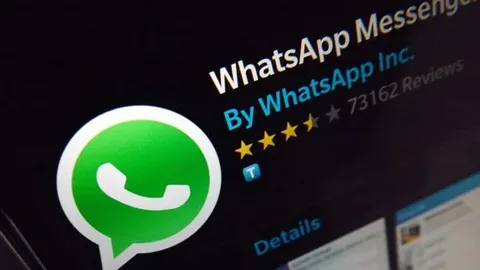

Learn how to use whatsapp web blackberry devices in 2025. Follow this step by step setup and login guide to connect your BlackBerry to WhatsApp Web easily.
Once a front runner in mobile communication BlackBerry devices were famous for their strong security and physical keyboards. Many users still search for ways to use WhatsApp Web on BlackBerry especially for managing chats on a bigger screen.
In this detailed guide you will learn whether WhatsApp Web for BlackBerry still works and how to set it up and what alternative options are available for BlackBerry users in 2025.
What Is WhatsApp Web?
whatsapp web blackberry is an extension of the WhatsApp app that allows users to send and receive messages directly from their computer browser. It reflects all conversations from your mobile app to your PC in real time.
Benefits of WhatsApp Web:
- Easy typing with a full keyboard
- Quick access to media files and documents
- Ideal for multitasking during work
- Secure connection through QR code login
Does WhatsApp Web Work on BlackBerry in 2025?
Unfortunately official support for WhatsApp on BlackBerry OS ended in 2022.
This means that older BlackBerry models running BlackBerry OS 10 or earlier cannot directly use WhatsApp Web anymore.
However if you have a BlackBerry Android model (like BlackBerry KEYone and Motion or KEY2) you can still use WhatsApp Web easily the same way as any Android smartphone.
Table: WhatsApp Web Compatibility for BlackBerry Devices
| BlackBerry Model Type | Operating System | WhatsApp Web Supported | Alternative Option |
| BlackBerry Classic / Q10 / Z10 | BlackBerry OS 10 | Not Supported | Use Android emulator |
| BlackBerry Priv / KEYone / KEY2 | Android OS | Supported | Use Chrome/Firefox |
| BlackBerry PlayBook | BlackBerry Tablet OS | Not Supported | Try browser based apps |
| New Android Devices | Android 10+ | Supported | WhatsApp Web or WhatsApp Desktop |
How to Set Up whatsapp web blackberry (Android Models)
If you own a BlackBerry Android device you can easily connect to WhatsApp Web using the following steps:
Step 1: Open WhatsApp on Your BlackBerry
Go to your WhatsApp app on the device.
Step 2: Access Linked Devices
Tap the three dots (menu) in the top right corner and select Linked Devices.
Step 3: Visit WhatsApp Web on Your Computer
On your desktop or laptop and open a browser and go to:
https://web.whatsapp.com
You will see a QR code appear on the screen.
Step 4: Scan the QR Code
On your BlackBerry tap Link a Device and scan the QR code displayed on your computer screen.
Step 5: Start Chatting
Once the QR code is scanned and your WhatsApp chats will appear on the computer instantly. You can now send messages and images or documents easily through the browser.
Alternative Ways to Use WhatsApp on Old BlackBerry Phones
If your BlackBerry does not support WhatsApp Web (like Q10 or Z10) try one of these methods:
1. Install an Android Emulator
Use an Android emulator like BlueStacks on your PC. You can then install WhatsApp (Android version) inside the emulator and log in normally.
2. Use a Secondary Android Device
If you still love your BlackBerry but want to access WhatsApp features use a small Android device just for WhatsApp and link it with your BlackBerry for convenience.
3. Use WhatsApp Web from Android
Simply install WhatsApp on any Android phone and open web.whatsapp.com from your browser. Log in using that device and enjoy full features.
Troubleshooting Common Issues
| Problem | Possible Cause | Solution |
| QR Code not scanning | Poor camera focus | Clean lens and ensure proper lighting |
| Web not connecting | Weak internet | Switch to Wi Fi or restart router |
| Session expired | Long inactivity | Re scan QR code |
| Chats not syncing | Background restrictions | Allow background data for WhatsApp |
Advantages of Using WhatsApp Web on BlackBerry
Even though native support is limited BlackBerry Android users still enjoy several benefits:
- Better productivity: Manage messages directly from your desktop.
- Quick sharing: Send documents and PDFs or links easily.
- Secure access: Data is encrypted and mirrors your phone’s session.
- Multi device sync: You can link multiple computers without keeping your phone connected all the time (new feature from 2025 updates).
Summary
Using WhatsApp Web on BlackBerry depends entirely on your device type.
If your phone runs BlackBerry OS WhatsApp support has ended and you will need an alternative method like Android emulators.
But if you own a BlackBerry Android model WhatsApp Web works perfectly just scan the QR code and you are good to go.
FAQs
1. Can I still use WhatsApp on my old BlackBerry OS phone?
No. WhatsApp officially ended support for BlackBerry OS phones in 2022. You can not use WhatsApp Web or install the app.
2. Is WhatsApp Web safe to use on BlackBerry Android phones?
Yes. It uses end to end encryption and mirrors your mobile app’s connection securely.
3. What if the QR code does not scan on WhatsApp Web?
safeguard proper lighting and focus your camera correctly and check your internet connection.
4. Can I use WhatsApp Web without my phone connected?
Yes. With WhatsApp’s new multi device feature. you can stay connected even if your phone is offline.
5. Are there alternatives to WhatsApp Web for BlackBerry users?
Yes. You can use apps like Telegram Web Signal Desktop or Android emulators to stay connected on your PC.
Last words
While whatsapp web blackberry is now limited to Android based models you can still enjoy a seamless chatting experience using modern browsers.
If you are still using an old BlackBerry and consider upgrading to a newer Android device to stay compatible with the latest WhatsApp features and security updates.

phokttph 25 Sep 2026
If you are looking for a reliable spot with a great community, this is it. I have had a blast playing here. Go check phokttph
idgemoy88 28 Sep 2026
Really love the vibe of this platform. Everything feels professional and the customer support is top notch. Visit idgemoy88 for the best action.
pkluckybet7 5 Oct 2026
I felt lucky the moment I joined. The odds are great and the community is very welcoming. Definitely my new favorite spot pkluckybet7
tk 777 15 Oct 2026
[8751]tk 777 লগইন এবং অ্যাপ ডাউনলোড – সেরা অনলাইন স্লট গেম,tk 777 লগইন করে সেরা অনলাইন স্লট গেম খেলুন। বিকাশ দিয়ে ক্যাসিনো ডিপোজিট এবং অ্যাপ ডাউনলোড করে আজই আপনার অ্যাকাউন্ট তৈরি করুন। visit: tk 777
betjiliapk 16 Oct 2026
The app is super responsive and doesn’t lag at all. It makes gaming so much easier on the go. Highly recommend downloading betjiliapk